Phonics Museum - Learn to Read
- 3.5
- Rating
- 10.00K
- Installs
- Free
- Price
 Analysis by App-foxy
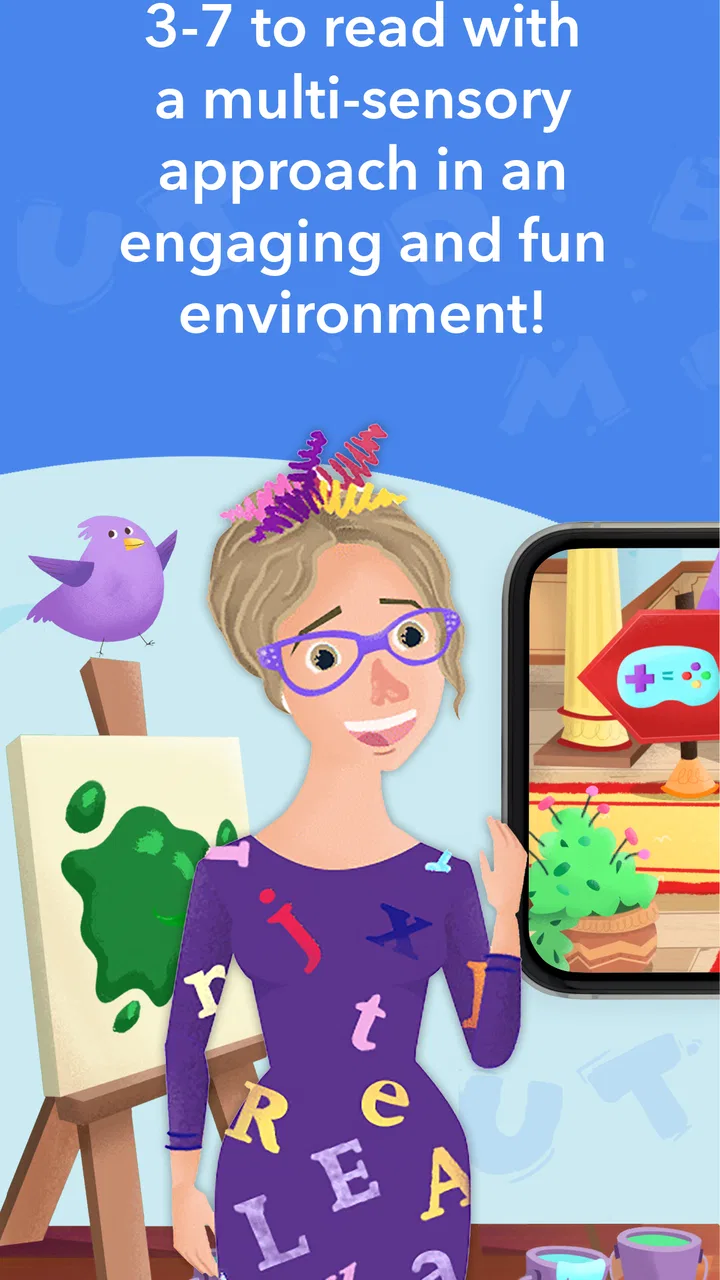
I approached Phonics Museum - Learn to Read as a parent looking for a gentle way to add reading practice to a child’s routine, rather than as a replacement for a complete lesson plan. It is a free educational game from Veritas Press built around early phonics and reading, with an Everyone age rating. The central appeal is easy to understand: turn practice with sounds and words into something that feels more like play than a worksheet.
That positioning matters because early reading apps can easily become either too passive or too demanding. A child may tap through bright activities without really thinking, or become frustrated by tasks that move faster than their current ability. My overall impression is that this game is most useful when an adult treats it as a short, guided learning session. It can add variety to home education, reinforce lessons already being taught, and give a hesitant reader a less intimidating place to practise.
How the learning experience fits into a real routine
The app’s educational focus is phonics, so I would place it near the beginning of a child’s reading journey rather than recommend it to a confident independent reader seeking stories or advanced comprehension. The strongest use case is a child who needs repeated exposure to letter sounds, sound combinations, and the connection between spoken language and printed words. Those skills benefit from revisiting them often, but repetition works better when it does not feel exactly the same every time.
You May Also Like

 AccuWeather: Weather Radar
AccuWeather Review: A Quick, Clear Forecast for Everyday Decisions
For everyday plans, the best forecast is the one you can understand quickly. AccuWeather makes rain timing, radar, and local conditions easy to act on, with a few trade-offs.

 Hill Climb Racing
Why Hill Climb Racing Still Turns Crashes Into One More Run
A tiny car, a bumpy hill and one more upgrade: Hill Climb Racing keeps resurfacing because its simple chaos makes every near-miss feel personal.

 AliExpress - Shopping App
AliExpress Makes Global Shopping Feel Personal, but Shoppers Bear the Risk
AliExpress turns a global marketplace into a pocket-sized discovery engine. Its reach is useful, its shopping loop compelling, and its trade-offs easy to miss.

 Lords Mobile: Kingdom Wars
Lords Mobile Is a Kingdom-Building Routine, Not a Quick Match
A case-by-case verdict on the building, battles, device demands, and social commitments that make Lords Mobile rewarding for some players and exhausting for others.

 PDF Scanner app - TapScanner
TapScanner Makes Paperwork Easier to Capture, Check, and Share
TapScanner makes scanning with a phone feel less like a rescue operation and more like a dependable step in getting work done. Its capture tools are useful, though not flawless.

 Block Blast!
 Shows How Much a Puzzle Game Can Leave Out
A quiet grid game shows why puzzle players increasingly value instant clarity, repeatable skill and low-pressure play—and where the genre still needs to catch up.
More From Our News Desk
View All News


I would use it in a small daily window: perhaps after breakfast, before a home-school lesson, or during a quiet period when a child is receptive. The important detail is to keep the session purposeful. Instead of handing over the device and walking away, I would sit nearby, listen to the answers, and ask the child why a particular choice sounds right. That turns tapping into active reading practice and helps reveal whether the child understands the idea or is simply guessing.
A realistic example would be a child who knows several letter names but mixes up their sounds. I might let the child attempt an activity independently, then pause when an answer is missed and say the sound aloud together. Afterward, I would ask for another word beginning with that sound away from the screen. This small transfer from the game to ordinary conversation is where the app becomes more valuable. It gives practice, while the adult checks whether the skill survives outside the activity.
The best results come from using the game as a prompt for conversation, not as an unattended digital babysitter. That is a practical distinction, especially with early literacy. A correct tap can mean genuine recognition, but it can also come from remembering a position or following a pattern. Watching the child explain an answer gives a much clearer picture of progress.
What the free entry point really means
The game is free to begin, which makes it easier to explore without committing money first. That is helpful for families comparing several reading tools, especially when a child’s interest can change quickly. At the same time, the presence of in-app purchases means “free” should be understood as an opportunity to try the experience, not automatically as a promise that every part of the learning path costs nothing.
Purchases are listed from $1.99 to $99.99 per item. That is a wide range, so I would make the spending decision deliberately rather than allowing a child to make choices in the moment. Before starting regular practice, I would check which material is available without payment, what a purchase unlocks, and whether the free portion is enough for the child’s current level. This is not just a budgeting issue; it also affects continuity. A child who becomes attached to a particular activity may be disappointed if the next step requires a purchase.
I appreciate that the purchase context is visible enough to deserve attention before use, but I would still treat parental supervision as essential. The sensible approach is to explore the free experience first, decide whether the teaching style suits the child, and only then consider spending. Families who prefer a completely fixed-cost reading program may find a traditional book set or a clearly defined subscription easier to plan around.
The developer is Veritas Press, and the app has been available since December 7, 2020. Its current version is 0.0.104, and it runs on Android 7.0 or later. Those details make it accessible to families using older compatible devices, although I would still test it on the actual phone or tablet intended for the child before building a routine around it. A child’s learning session is easily disrupted by an installation issue, an unfamiliar interface, or a device that is shared with other family members.
Progress without turning reading into a test
Early literacy practice needs a careful balance between repetition and pressure. I would avoid presenting every session as a score-based challenge or asking a child to continue after signs of fatigue. If the child starts tapping quickly, guessing, or becoming upset after mistakes, that is a good moment to stop and return later. The app can provide the activity, but the adult has to set the emotional pace.
One useful method is to alternate screen work with a physical activity. After a short game session, I might point out the same sound in a book, on a food package, or in the child’s name. This prevents the app from becoming an isolated skill drill. It also gives the child a chance to succeed in a less formal setting, which can be encouraging when the digital activity felt difficult.
I would also keep a simple private note of what the child can do without help. For example, I might record which sounds are secure, which are confused, and whether the child can blend them when the screen is gone. The app itself should not be the only measure of improvement. A child may become quicker at a particular activity without gaining flexible reading ability, while another child may understand the material but need more time to respond.
This is where the game’s format has both a strength and a limitation. Play can lower resistance and make practice easier to repeat, but it can also encourage children to focus on completing the activity rather than listening carefully. I would praise careful thinking, not speed. If the child gets an answer wrong, I would treat it as information about what to practise next rather than as a failure.
Where it stands beside books, tutors, and other reading apps
Compared with printed phonics cards or a workbook, this game offers a more interactive way to revisit sounds. That can be a real advantage for a child who loses interest when practice is entirely paper-based. The trade-off is that a workbook makes it easy for an adult to see exactly what the child wrote, while a game may make performance feel less visible unless someone watches and asks questions.
Compared with reading books, it serves a different purpose. Books provide richer language, story meaning, vocabulary, and the motivation that comes from wanting to know what happens next. A phonics-focused game is better suited to targeted sound practice. I would not choose it instead of shared reading; I would use it before or alongside books when a child needs extra work on the mechanics of decoding.
Compared with a live tutor, it is more convenient and available whenever the device is ready, but it cannot replace the tutor’s ability to notice subtle confusion, change an explanation instantly, or choose material based on a child’s mood. Families needing intensive, individualized support should treat this as a supplement. A teacher or specialist is the better option when reading difficulty is persistent, severe, or connected to broader learning concerns.
Other educational apps may offer broader subjects, more elaborate progress systems, or a larger library of stories. That does not automatically make them better for phonics. I would choose this one when the priority is focused early reading practice and the child responds well to game-like repetition. I would look elsewhere when the child already reads comfortably, needs extensive comprehension work, or becomes distracted by the game format itself.
Fairness, competition, and the role of spending
For a reading game, competitive fairness is less about beating other players and more about whether money changes access to learning. I would judge the experience by asking whether a child can practise meaningfully before any purchase, whether optional spending is clearly separated from the learning goal, and whether the child feels pushed to unlock the next activity. Since the listed purchase range reaches from $1.99 to $99.99 per item, parents should make those decisions themselves rather than letting excitement guide them.
I do not see a reason to frame paid content as inherently unfair. Educational creators need a way to support their work, and some families may find additional material worthwhile. The concern is clarity and pressure. A purchase is fairer when an adult understands what it provides and chooses it because it fits the child’s needs, not because the child is made to feel behind without it.
My practical recommendation is to establish a household rule before the first session: the child may play the available material, but any purchase requires an adult decision. I would also avoid promising that buying more will automatically produce faster reading progress. Progress depends on practice quality, readiness, explanation, and support away from the screen. Paying for extra content can expand options, but it cannot substitute for those things.
This approach also keeps the game fair between siblings. If several children share a device, I would give each child a turn based on learning need rather than on who asks most insistently for more content. A short, calm session is more valuable than a long session driven by competition over access.
What parents should check before settling in
There are a few practical questions I would answer during the first trial. Can the child understand the instructions without constant adult translation? Does the activity reinforce the sound being taught, or does the child mainly react to pictures and buttons? Can the child explain an answer afterward? These checks tell me more than whether the child appears entertained.
I would also consider the child’s temperament. A learner who enjoys repeating small challenges may engage well, while a child who needs imaginative stories and open-ended exploration may find a phonics game narrow. Neither reaction means the child is doing something wrong. It simply shows that learning style matters, and the right tool is the one that encourages sustained attention without unnecessary stress.
Device compatibility is another early checkpoint. The minimum operating system is Android 7.0, so I would confirm that the intended device meets that requirement before planning lessons. I would also reserve a comfortable place for the child to use the screen, especially if sessions become regular. Good posture, reasonable breaks, and an adult nearby are ordinary details, but they make digital learning easier to sustain.
The average rating is 3.5 from around 58 ratings, with around 19 written reviews. I read that as a reason to try the app personally before recommending it as a central part of a curriculum. The rating suggests a mixed experience rather than universal satisfaction, and a small review pool cannot tell me how every child will respond. In this case, the child’s age, reading stage, device, and tolerance for repetition matter more than a single number.
My trust verdict after weighing the trade-offs
After considering its purpose and purchase model, I see Phonics Museum as a potentially useful supporting tool for families beginning phonics practice. The free starting point lowers the barrier to testing it, and the educational focus is clear. I would recommend it to a parent who wants a game-based way to reinforce lessons, is willing to sit with the child, and is comfortable making careful decisions about optional spending.
I would not make it the only reading resource. Shared books, conversation, handwriting, and direct adult feedback still matter. I would also skip it if the child needs advanced reading, deep comprehension, or specialist intervention. In those situations, a broader reading program, a teacher, or a qualified professional is likely to be a better fit.
My final advice is to begin with a short trial, observe whether the child is listening rather than guessing, and connect each session to a real word or book. Keep purchases under adult control, stop when practice becomes stressful, and judge progress by what the child can do away from the screen. Used that way, Phonics Museum - Learn to Read can earn a place in a balanced early-reading routine without pretending to be the whole solution.
FAQs for Phonics Museum - Learn to Read
01What is Phonics Museum - Learn to Read?
Phonics Museum - Learn to Read is an educational app designed to help young children develop early reading skills through phonics-based lessons, interactive activities, videos, and games. It introduces letter sounds, blending, word recognition, handwriting, and basic reading in a playful format. The museum-style presentation helps make practice feel more like exploration than a traditional lesson.
02What age group is Phonics Museum - Learn to Read suitable for?
The app is mainly intended for preschool and early elementary-age children who are beginning to learn letters, sounds, and simple words. It can also be useful for children who need extra phonics practice or a gentle review of foundational reading skills. Parents should consider their child’s current level, attention span, and reading method before choosing the most appropriate activities.
03Does Phonics Museum require an internet connection?
Some parts of Phonics Museum may require an internet connection, particularly when downloading the app, accessing account features, receiving updates, or loading certain media. Depending on the device and the content already stored, selected lessons may be available offline. It is best to open the app while connected to Wi-Fi and check which activities remain accessible before using it during travel.
04Is Phonics Museum free to download and use?
Phonics Museum may be available to download without an upfront charge, but access to the complete lesson library or advanced features can depend on the current subscription or purchase options offered by the developer. Parents should review the app-store listing carefully for pricing, trial periods, recurring billing, and included content. Availability and costs may differ between Android and iOS.
05Is Phonics Museum safe and suitable for children?
Phonics Museum is built as a child-focused learning experience, with educational content centered on early literacy rather than general entertainment. However, parents should still review privacy settings, account requirements, advertisements, in-app purchases, and any external links before handing over the device. Using parental controls and playing the first lessons together can help confirm that the app suits the child.
Pros
- Engaging phonics lessons combine letter sounds with colorful museum-style visuals.
- Suitable for early learners building foundational reading and pronunciation skills.
- Interactive activities help reinforce sound recognition through repetition.
- Child-friendly design makes independent practice relatively easy.
- Progressive lessons can support a structured home-learning routine.
Cons
- Some content may feel repetitive for children who learn reading quickly.
- The app may require parental guidance for younger children during setup.
- Advanced readers may outgrow the activities after mastering basic phonics.
- Certain features or lessons may be limited without a subscription.
- Device storage and performance requirements could vary across older phones.

Phonics Museum - Learn to Read
Gallery